

Cell Surveys: Signal Heatmap · Free
Cell Signal Heatmap for iPhone and Android
See where your cell signal is strong and where it drops. The app records signal as you go, maps it as a live heatmap, and keeps every survey so you can replay it or export it.

No ads. Optional Cell Surveys Pro for parcels and mileage.
What the App Does
A map of your own signal, the crowd's coverage map, and the tools to survey a place properly.
Signal heatmap
Every reading lands on the map as a colored square, green where signal is strong and red where it is weak, so dead spots show up as you walk or drive. Android records measured RSRP, RSRQ, and SINR; on iPhone the level is estimated.
Everyone's coverage
Turn on Everyone's coverage in Settings, next to Data Collection Consent, to see a crowd-sourced map for your carrier under your own squares: the average signal on your carrier's network from everyone's readings over the last 30 days, rebuilt every day, in squares about 110 meters across.
Surveys and archives
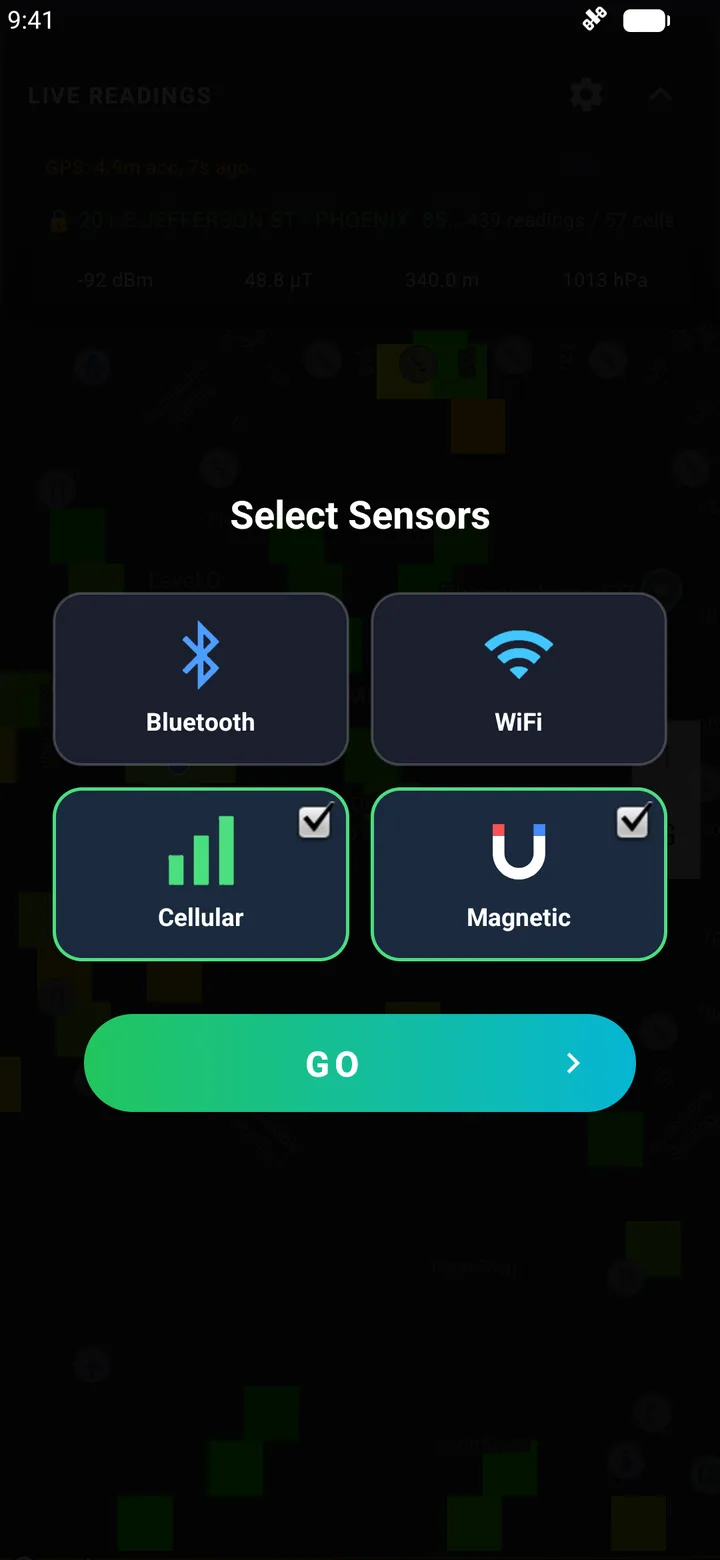
Start a survey of cellular, WiFi, Bluetooth, magnetic field, and barometric pressure whenever you like. Every survey is kept in an archive you can filter, replay point by point, and export as CSV, or as a ZIP on Android.
Mileage and trips
ProDrives are logged on their own. A calendar shows miles per day, each trip has a route map colored by signal, and you can mark trips Work, export a CSV, and get weekly and monthly summaries.
Parcel dashboard
ProStand on a property and the app locks to its parcel, from county records covering most of the U.S. The dashboard maps signal on a 2D grid of 5-meter squares, and a 3D view stacks readings by floor or altitude.
Cell Surveys Pro
Heatmaps, the coverage map, and survey recording are free. Pro adds parcels, the Parcel dashboard, operator tools, and mileage and trips, for $4.99 a month or $39.99 a year.
What Pro includes
See It in Action
Android
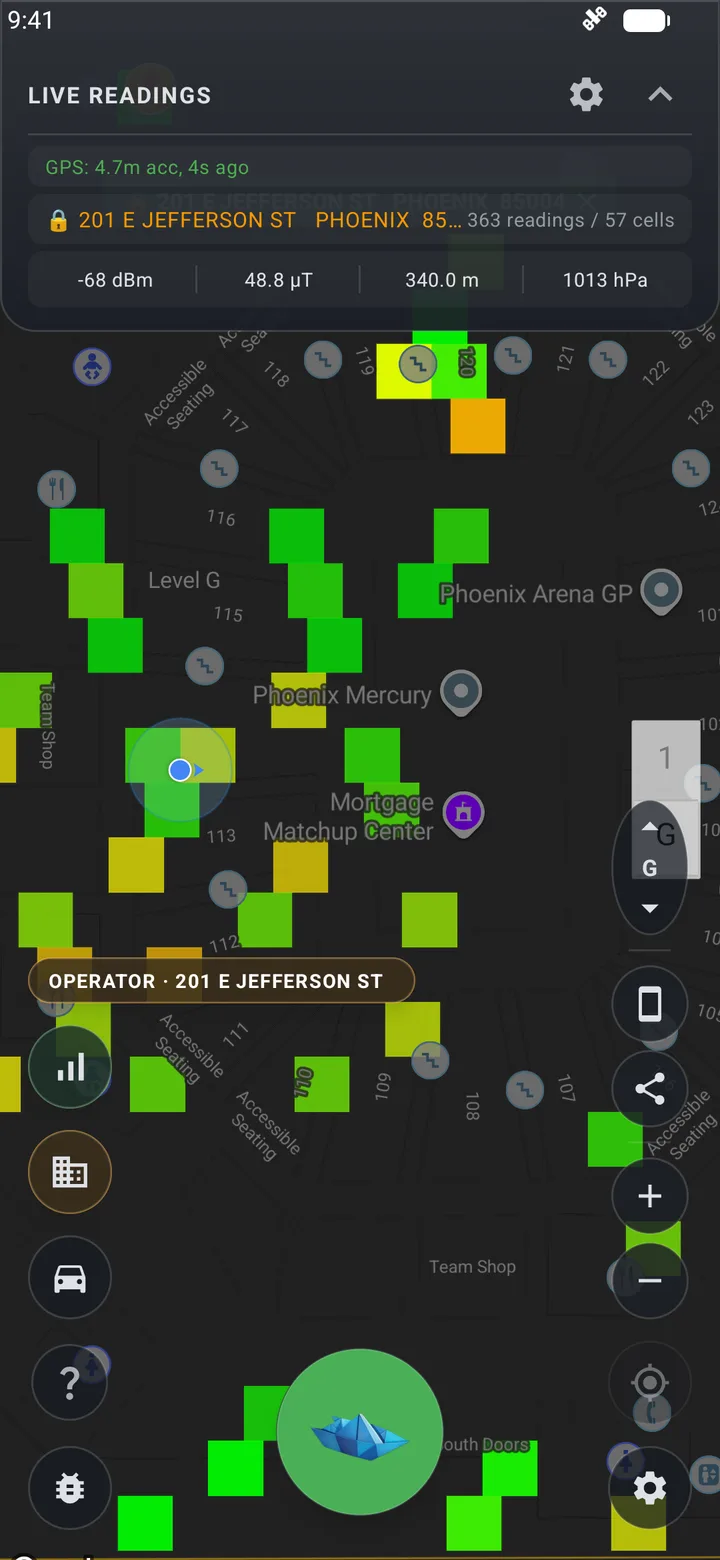
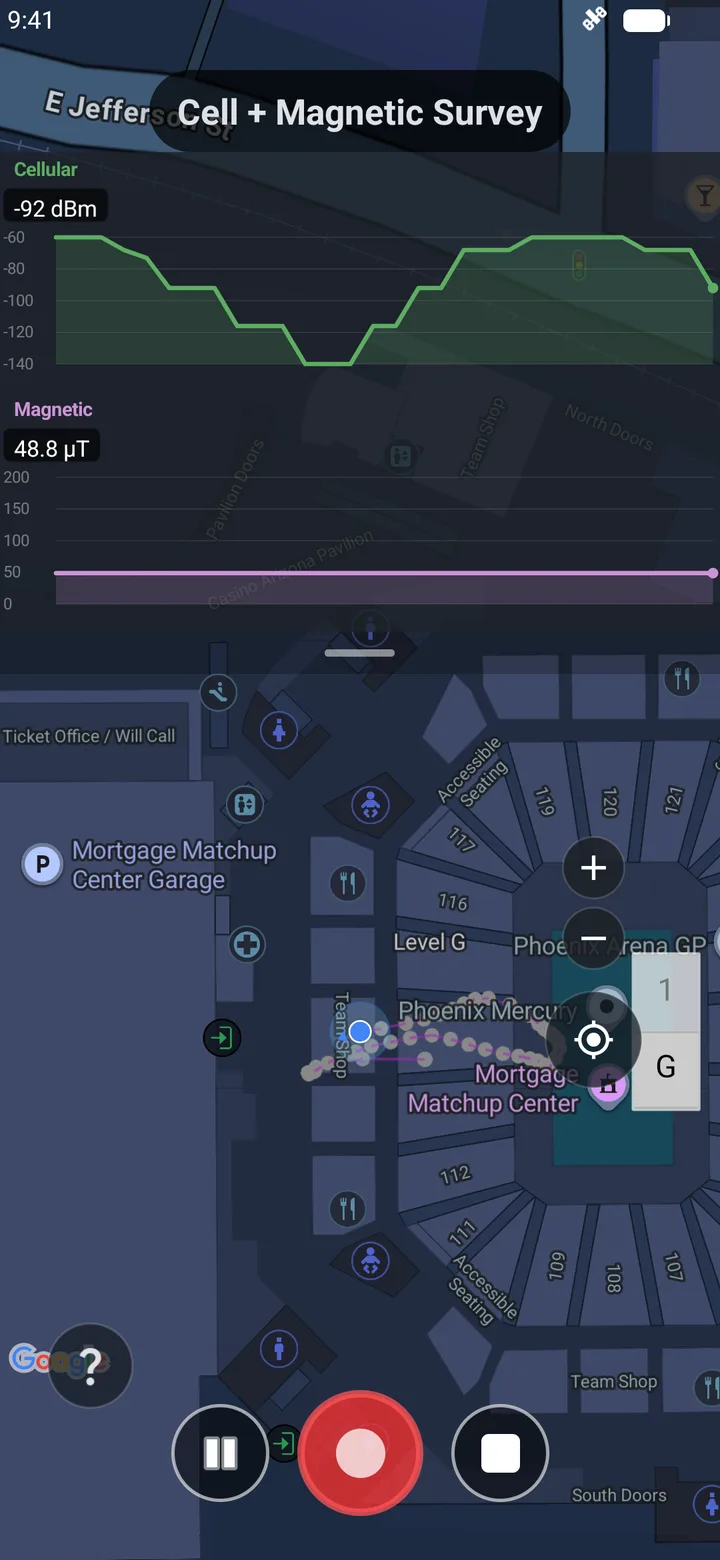
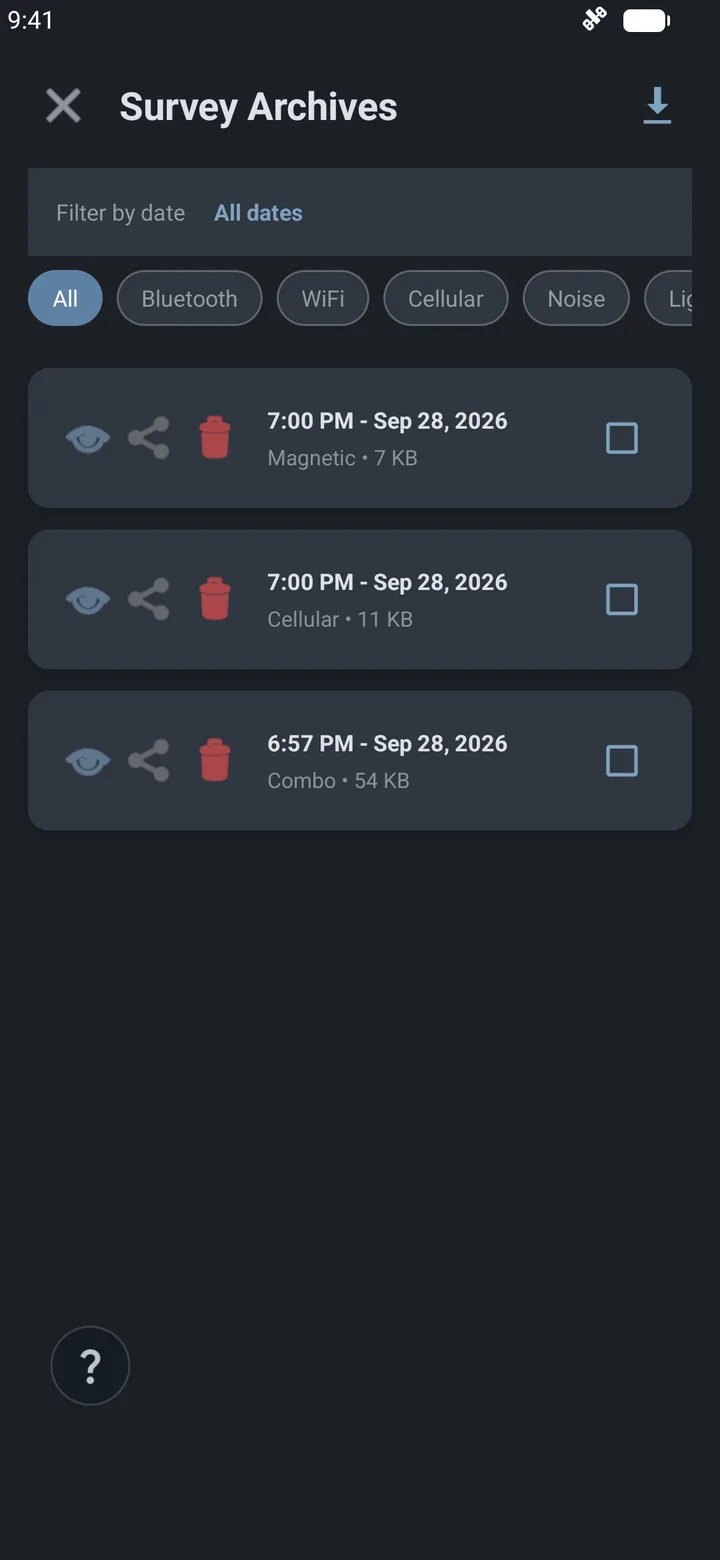
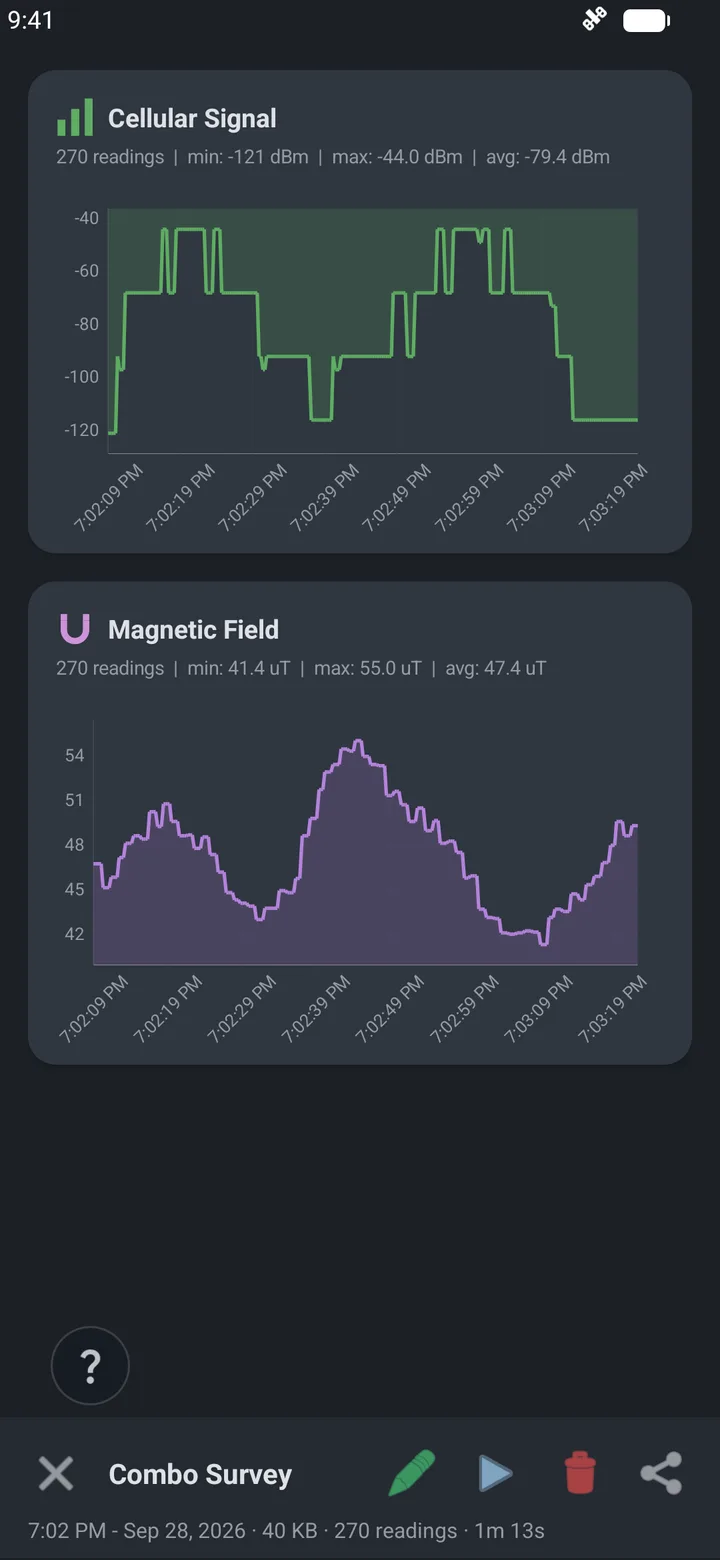
Live readings and coverage heatmap
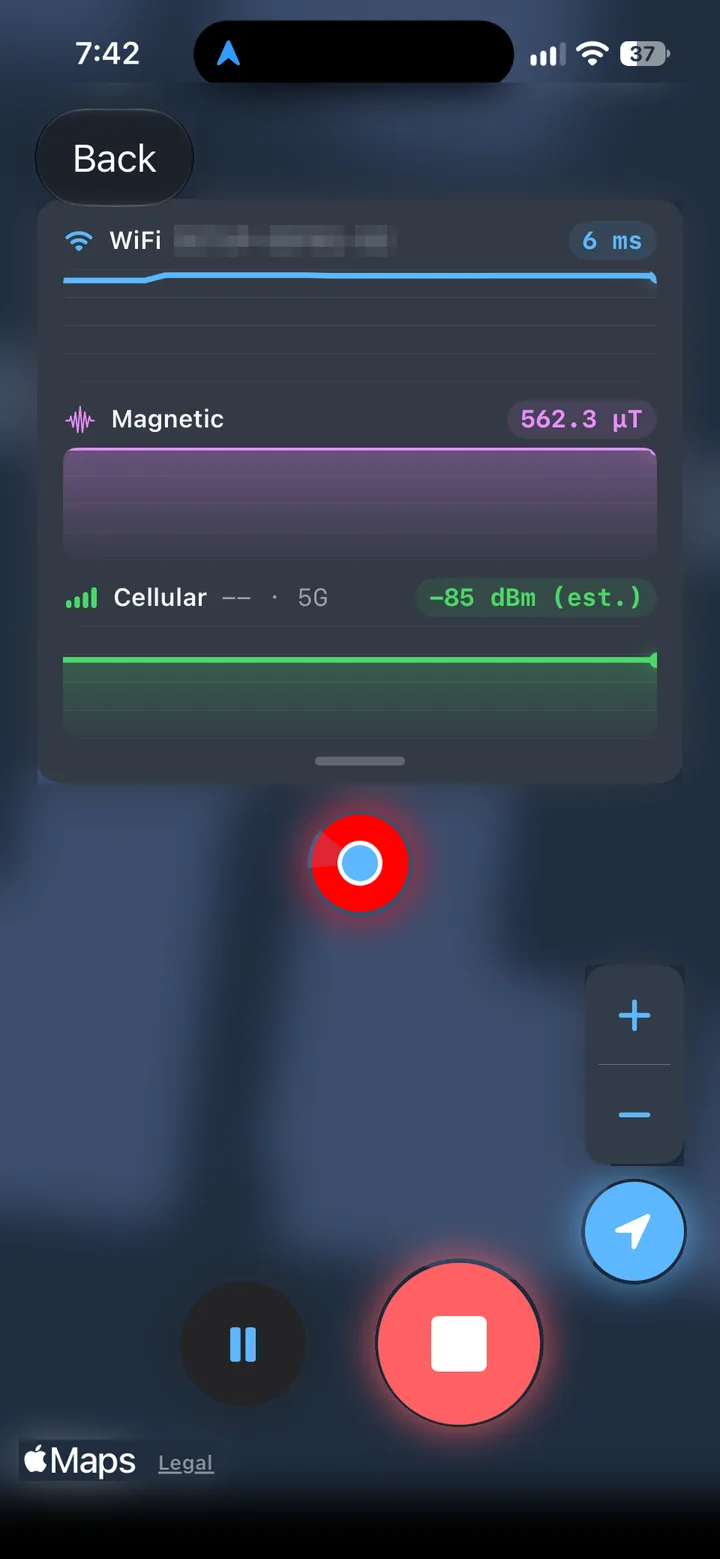
iPhone
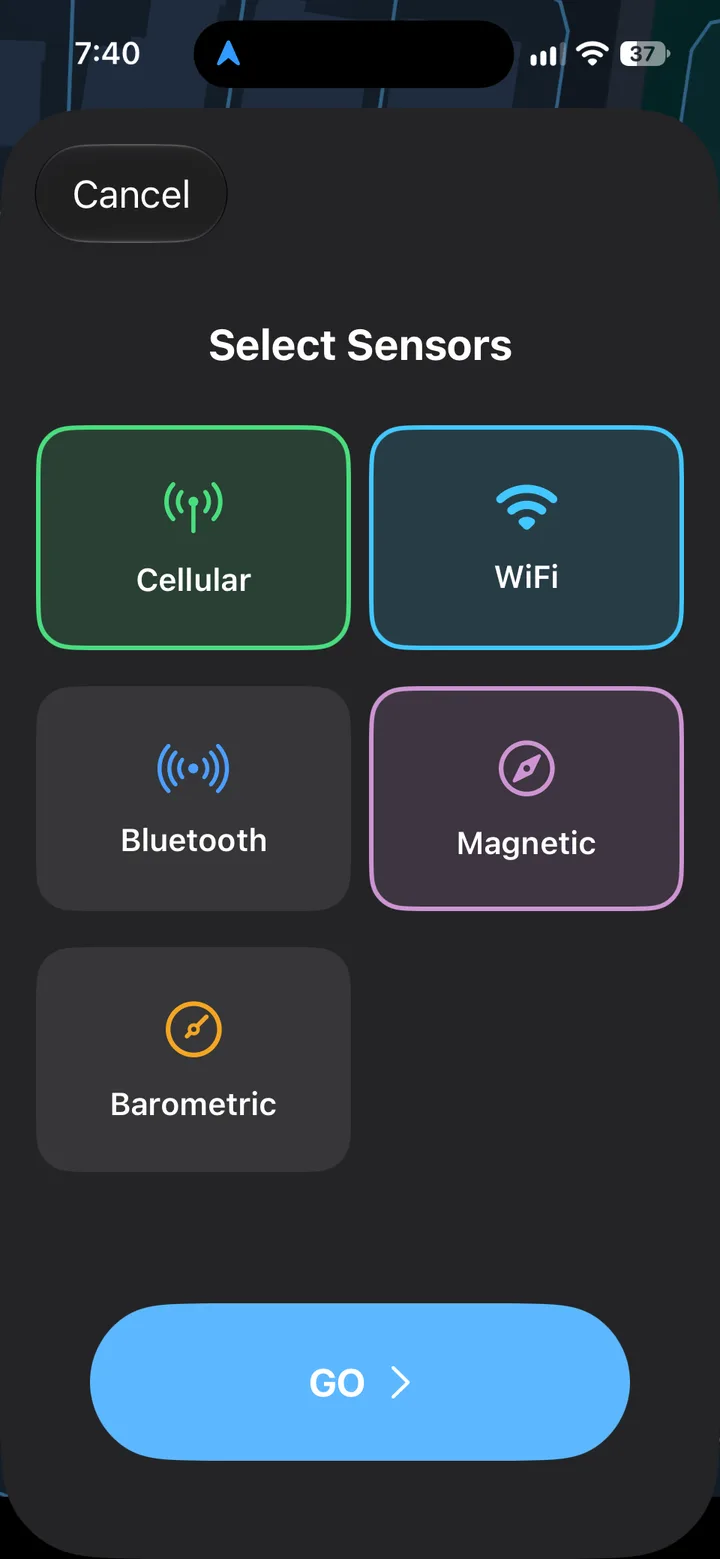
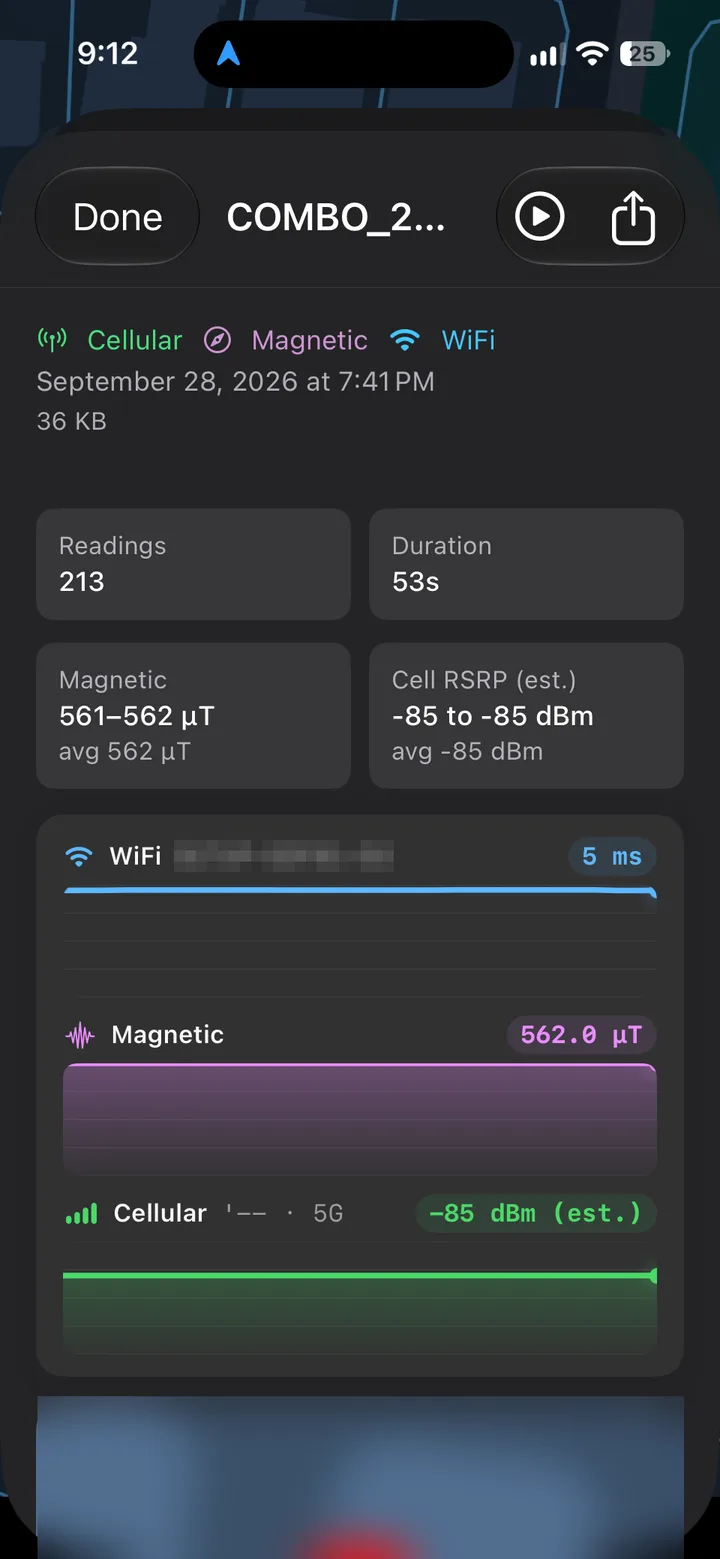
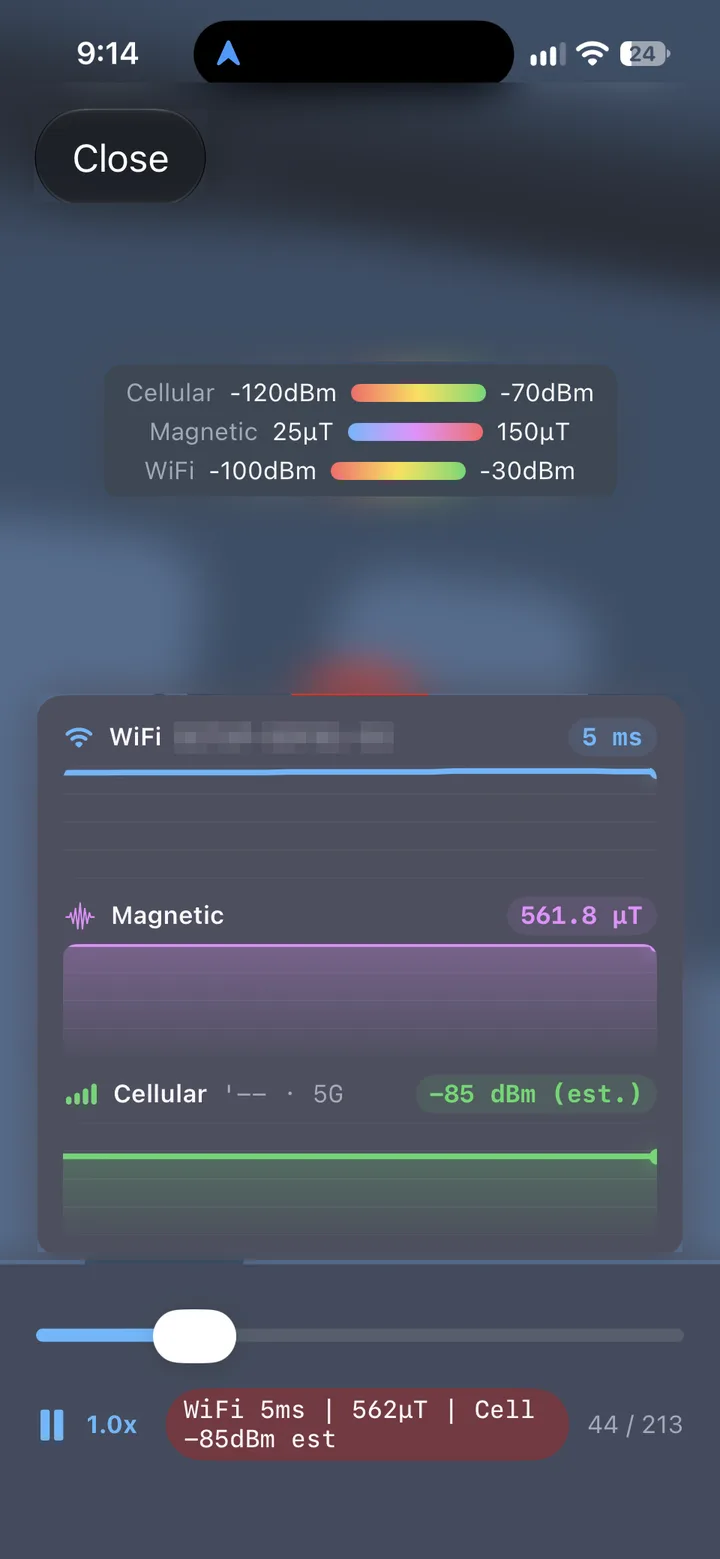
Choose what to survey
Android and iPhone
iOS does not let apps read cell-level measurements, so the two apps differ on cellular data. For PCI, cell ID, or measured signal quality, use Android.
| Feature | Android | iPhone |
|---|---|---|
| Network type (5G, LTE) | Yes | Yes |
| Carrier | Yes | From the data connection |
| Cellular signal level | Measured RSRP, RSRQ, SINR | Estimated |
| PCI and cell ID | Yes | No |
| Neighbor cells | In surveys | No |
| Two carriers at once (dual SIM) | Yes | No |
| WiFi | Every visible network | Connected network |
| Bluetooth LE, magnetic field, barometer | Yes | Yes |
| Coverage heatmap and parcel lock | Yes | Yes |
| Everyone's coverage (your carrier, last 30 days) | Yes | Yes |
| Archives and survey replay | Yes | Yes |
| Export | CSV or ZIP | CSV |
| AI chat with your own API key | Can read your survey | General chat |
More about the iPhone appMore about the Android app
Planning a small cell or verifying one? See small cell baselines with the app.
Cell Surveys Compared With Other Signal Apps
What each app can measure and map, on iPhone and on Android. On iPhone no app can read measured signal, because iOS does not give apps those values.
| Feature | Cell Surveys | CellMapper | Network Cell Info | Opensignal | Speedtest by Ookla | nPerf |
|---|---|---|---|---|---|---|
| Platforms | iPhone, Android | Android, iPhone | Android only | iPhone, Android | iPhone, Android | iPhone, Android |
| Price | Free, no ads; optional Pro | Free, with ads | Free with ads, or a paid version | Free, no ads | Free, with ads | Free, with ads |
| Measured signal on Android (RSRP, RSRQ, SINR) | Yes | Yes | Yes | Not listed | Not listed | Not listed |
| Cell ID on Android | With PCI | Yes | With PCI on phones that report it | Not listed | Not listed | Not listed |
| What it shows on iPhone | Network type and an estimated signal level | The map and your network type | No iPhone app | Speed tests and a coverage map | Speed tests and coverage maps | Speed tests and a coverage map |
| Map of your own readings | Signal heatmap | Not listed | Route colored by signal | Not listed | Not listed | Your test locations |
| Crowd-sourced coverage map | Everyone's coverage, for your carrier | Yes | Yes | Yes | Yes | Yes |
| Cell tower map | No | Estimated from users' readings | No | Not listed | Not listed | Not listed |
| Speed test | No | Not listed | Yes | Yes | Yes | Yes |
| Records in the background | Yes | Yes | Paid version | With consent | Opt-in | On Android |
| Export your data | CSV | CSV | KML and CSV | Not listed | Not listed | Not listed |
| AI chat (Claude, ChatGPT, or any OpenAI-compatible model) | With your own API key; on Android it can read your survey | Not listed | Not listed | Not listed | Not listed | Not listed |
| Mileage and trip log | With Pro | Not listed | Not listed | Not listed | Not listed | Not listed |
| Property parcels and signal by floor | With Pro | Not listed | Not listed | Not listed | Not listed | Not listed |
As of October 13, 2026, from each app's store listing and its own documentation. A dash means the app's listing and documentation don't mention it.
The details, and which app suits which job: cell signal apps compared.
Optional subscription
Cell Surveys Pro
Parcels and operator tools, the Parcel dashboard in 2D and 3D, and mileage and trips with a calendar, Work and Personal trips, CSV export, and weekly and monthly summaries.
$4.99 a month or $39.99 a year, with a 7-day free trial for new subscribers. One subscription covers your account on iPhone and Android.
See what Pro includesYour Data
An account is required: sign in with Google, with Apple, or with an email address. By default the app records in the background and uploads your readings to Cell Surveys, where they are used in aggregated, anonymized form for coverage maps and, unless you turn it off, for anonymized coverage statistics we license to businesses. Withdrawing data collection consent in Settings stops background recording and all uploads. There are no ads, we do not sell personal information or individual readings, and you can delete your account and its data at any time.
Cell Signal Guides
How to check your signal on iPhone and Android, what the numbers mean, why it drops indoors, and how to check a place before you move.
Guide
How to Check Your Cell Signal Strength on iPhone
See your iPhone's real signal strength in dBm with Field Test Mode (*3001#12345#*), what the RSRP number means, and how to map signal across a house or drive.
Read the guideGuide
How to Check Your Cell Signal Strength in dBm (and What the Numbers Mean)
Signal bars hide the real number. How to see your phone's signal strength in dBm on Android and iPhone, and how to read RSRP, RSRQ, and SINR values.
Read the guideGuide
Why Is My Cell Signal Bad Inside My House?
Why your phone has signal outside but drops calls inside: the materials, 5G bands, and carrier factors behind weak home signal, and the fixes, cheapest first.
Read the guideGuide
How to Check Cell Coverage at a House Before You Buy or Rent
Carrier coverage maps are predictions of outdoor service. How to check the real cell signal at a house, inside and out, on each carrier, before you buy or rent.
Read the guideGuide
Cell Signal Apps Compared: What Each Can Measure on iPhone and Android
What CellMapper, Network Cell Info, Opensignal, nPerf, Speedtest, the FCC app, and Cell Surveys can each measure on iPhone and Android, as of October 2026.
Read the guideGuide
How to Track Cell Coverage on a Road Trip or in an RV
Plan around dead zones before you leave, log your signal along the route as you drive, and see afterward where service dropped. For road trips, RVs, and vans.
Read the guide



Frequently Asked Questions
Is Cell Surveys free?
Does it work on iPhone and Android?
Can I see my iPhone's signal strength in dBm?
What does the signal heatmap show?
Does the app record in the background?
What happens to my data?
Can I export my readings?
More answers on the support page.
Download Cell Surveys